Start the soundtrack on your frame.
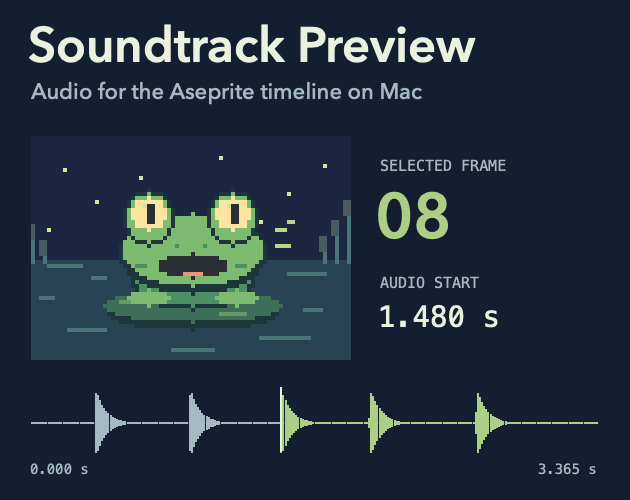
Select a frame in Aseprite and hear your WAV start at that point in the animation. Change an earlier frame’s duration and the next preview starts at the new time.
See the free sample
$9 once at launch. Checkout is closed. No preorders.
Pond chorus
QuickTime · 486 KB Download free sample ↓
- Selected frame
- 08
- Audio starts at
- 1.480 s
The frog’s third call starts on frame 8. Open the download in QuickTime Player to see the rendered animation and hear all five calls.
From frame to sound
- Add a WAV. Place it beside the saved sprite. Use the same base name.
- Select a frame. Choose .
- Retime and replay. Start preview again after a frame-duration edit.
What’s in the $9 download
- Installable Aseprite extension for Mac
- Editable 16-frame Pond chorus example and its WAV
- Setup instructions and readable extension scripts
See the free sample
$9 once at launch. Checkout is closed. No preorders.
Before you buy
- Tested setup
- Apple Silicon, macOS 15.7.7, and a local build of Aseprite 1.3.18.6 with a WAV file.
- Playback
- Preview runs once from the selected frame to the end of the animation or soundtrack. This release supports timeline preview only.
- Local permission
- Aseprite can ask for permission to run a local macOS command on the first preview. Playback runs on your Mac.